Free · unlimited rounds

Color Game

See the shade, lose the shade, rebuild it

The game shows one colour for a few seconds, then removes every reference to it. You rebuild the shade from memory with hue, saturation and brightness sliders, and the score is the distance between the two.

  • 01One shade shown for a few seconds
  • 02Rebuild it with three sliders
  • 03Scored on the gap between both colours
  • 04No account, no daily limit
01

Colour memory is worse than you think

Most people can hold a hue for a few seconds and lose the saturation almost immediately, which is why a rebuilt colour usually looks wrong next to the original.

The game measures that drift instead of hiding it behind a multiple-choice answer.

Color game@color

How a colour round works

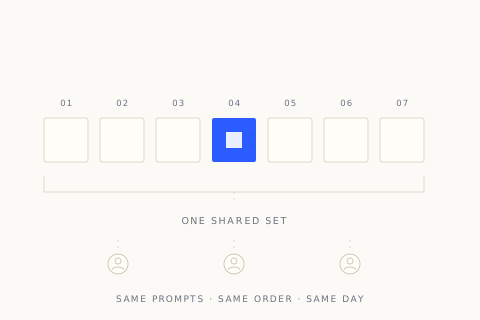
A single shade fills the screen for a few seconds. It then vanishes and three sliders appear, one each for hue, saturation and brightness. You adjust until the colour matches what you remember, submit, and see both versions side by side.
A colour swatch fading into a row of three adjustment sliders
Color game@color

Why sliders beat a palette grid

Picking from a grid of swatches turns the game into a recognition test and gives you a shortlist. Sliders force a continuous estimate, so the result reflects the colour in your head rather than the nearest option someone else chose to offer.

A continuous hue slider beside a grid of preset swatches
Color game@color

Hue survives, saturation does not

People are reasonably good at remembering whether a colour was green or teal, and poor at remembering how strong it was. Brightness sits between the two. That is why a rebuilt shade often lands on the right family and the wrong weight.

Two swatches sharing a hue but differing in saturation
Color game@color

What the score actually measures

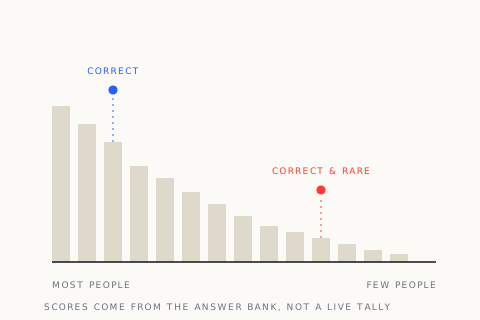
The gap is calculated across all three channels, so a small hue error on a pale colour costs less than the same error on a vivid one. A near-perfect round usually means the shade was familiar rather than that your memory is exceptional.

A gradient map marking the original shade and the rebuilt one
02

What a round gives you

One reference, three controls and an honest comparison.

01

A timed look, then nothing

The target disappears before the sliders appear. Nothing on screen hints at the original once the adjustment phase starts.

02

Hue, saturation and brightness

Three continuous controls rather than presets. Each one can be adjusted independently, so you can be right on hue and wrong on weight.

03

A distance score

Your shade and the original are compared numerically and shown together. The number makes a small error visible even when the two colours look close.

04

No limit on adjustments

The viewing time is fixed, but the rebuilding phase is open. You can take as long as you like with the sliders after the colour is gone.

03

Three phases per round

Look, rebuild, compare.

  1. Study the shade

    The colour fills the screen for a few seconds. Note whether it reads warm or cool and how strong it feels before it disappears.

  2. Rebuild it with the sliders

    Set hue first, then saturation, then brightness. Adjusting all three at once usually produces a colour that is close on none of them.

  3. Compare and score

    Your shade appears beside the original with the difference calculated. The next round starts with a new colour.

04

Testing an eye

Three players on what the sliders reveal.

I am good at hue and consistently too saturated. Seeing that pattern across ten rounds was more useful than any single score.
CMClara M.Designer
Screen brightness changes everything. My scores improved the moment I stopped playing with auto-brightness on.
BOBen O.Plays on a phone
We compare the two shades before the score appears. Half the time we both think we nailed it and the numbers disagree.
YIYuki I.Plays with a friend
05

Color game questions

Timing, scoring and what the sliders control.

One shade, a few seconds

Look closely, then rebuild it from nothing but memory and three sliders.

Test your eye